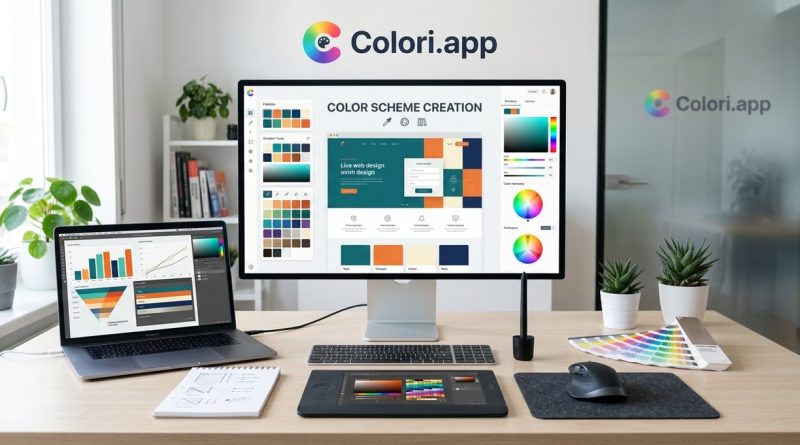
Top Web Design Tools to Elevate Your Color Scheme Creations
Web design is all about visual storytelling. The right colors can make your website stand out, evoke emotions, and guide visitors effortlessly through your content. But finding those perfect hues isn’t always straightforward. Thankfully, a variety of web design color tools exist to simplify the process. These tools can help you generate palettes, apply color theory, and ensure your schemes are both attractive and accessible. Whether you’re a seasoned designer or just starting out, knowing which tools to reach for can elevate your work and save you time.
The best web design color tools help you create harmonious palettes efficiently, incorporate color theory insights, and ensure accessibility. Using the right tools enhances your visual storytelling, making your websites more appealing and user-friendly.
Why choosing the right color tools matters in web design
Colors influence user behavior, brand perception, and overall site aesthetics. When you select tools that align with your workflow and design goals, you’ll be able to craft palettes that resonate with your audience. Good color tools provide more than just random hues—they offer features like harmony rules, accessibility checks, and integration options. This ensures your color schemes are not only beautiful but also functional.
Top web design color tools to elevate your palettes
Here are some of the most effective and user-friendly tools for creating, managing, and applying color schemes in your web projects.
1. Coolors
Coolors is a favorite among designers for its simplicity and power. It allows you to generate color palettes with a single click or customize them manually. You can lock in colors to build palettes, explore trending schemes, and export your choices easily. Its intuitive interface makes it suitable for quick brainstorming sessions or detailed palette refinement.
2. Adobe Color
Adobe Color is a versatile tool that integrates seamlessly with Adobe Creative Cloud apps. It offers preset harmony rules such as analogous, complementary, and triadic schemes. You can also create palettes from images or generate color themes based on specific color moods. Adobe Color is excellent for those who want to incorporate color theory directly into their workflow.
3. Colormind
Colormind uses deep learning to generate visually appealing palettes. It can learn from popular design trends and existing artwork. This AI-driven approach helps you discover unique combinations you might not think of manually. It also offers options to generate palettes based on input images or styles, making it a creative partner when designing for specific themes.
4. Canvan Color Palette Generator
Canva’s free color palette generator is perfect for quick palette creation. Upload an image, and it will produce a matching color scheme. It’s especially useful when you want your website colors to match branding images or photography. Canva also provides extensive tutorials and resources for color theory, making it a comprehensive resource.
5. Colordot
Colordot is a simple yet powerful tool for experimenting with colors. It features a color wheel interface where you can click or drag to find appealing combinations. It’s great for visual thinkers who prefer to work by eye rather than through numeric inputs. Plus, it allows you to save and export your schemes easily.
6. Colormind
Another AI-powered option, Colormind offers palettes inspired by current design trends and artwork. It’s especially useful when you want fresh, modern color schemes. You can generate schemes from images or pick from preset themes to match your project’s mood.
7. Color Hunt
Color Hunt is a curated collection of beautiful palettes created by designers worldwide. Browsing through its extensive library can spark ideas and inspire your projects. It’s a great resource for discovering trending schemes and seeing what works well in real-world applications.
Practical steps for creating your perfect color scheme
Using these tools effectively involves a straightforward process. Here’s a simple 3-step method:
-
Define your project’s mood and target audience
Clarify the emotions you want to evoke and who your users are. For example, a playful brand might lean toward bright, vibrant colors, while a corporate site may prefer subdued, professional tones. -
Generate initial palettes with tools
Use tools like Coolors or Adobe Color to create multiple options. Play with harmony rules and experiment with variations until you find promising schemes. -
Refine and test for accessibility
Check your palettes for contrast and legibility. Tools like Accessible Colors can help ensure your colors meet accessibility standards. Adjust as necessary to maintain readability and inclusiveness.
Common pitfalls and how to avoid them
| Mistake | Technique to avoid | Better approach |
|---|---|---|
| Overusing bright colors | Relying solely on vibrant hues | Balance bright colors with neutral tones |
| Ignoring contrast | Choosing colors with similar lightness | Use contrast checkers to ensure readability |
| Not considering accessibility | Using colors that are hard to distinguish | Test schemes for color blindness and contrast |
| Relying on trends alone | Choosing schemes without purpose | Prioritize your brand personality and message |
“Remember, good color schemes are not just visually appealing but also functional and accessible. Always test your palettes across different devices and for various user needs.” — color expert Jane Doe
Techniques for applying colors wisely
- Use complementary colors for emphasis and to create visual interest.
- Employ analogous schemes for harmony and a soothing effect.
- Apply triadic or split complementary schemes for vibrant but balanced designs.
- Keep your primary color dominant and use accent colors sparingly.
Final tips for mastering web color schemes
- Incorporate color psychology to connect emotionally with users.
- Use tools that allow you to preview your palettes in real web layouts.
- Stick to a limited color palette to maintain consistency.
- Regularly update your schemes based on user feedback and trends.
A practical approach to color schemes in your projects
Choosing the right web design color tools can streamline your workflow and improve your design outcomes. By understanding your project’s needs and leveraging the right resources, you’ll craft color schemes that are not only attractive but also meaningful and accessible. Remember, great design hinges on thoughtful color choices. Take the time to experiment, test, and refine your palettes. Your website visitors will thank you for it.
Keep your color game strong with smart tools
Harnessing the power of these best web design color tools empowers you to push your creativity further. Whether you want to generate a palette from an inspiring photo or craft a scheme guided by color theory, these resources are your allies. Stay curious, keep experimenting, and let your colors tell your story.