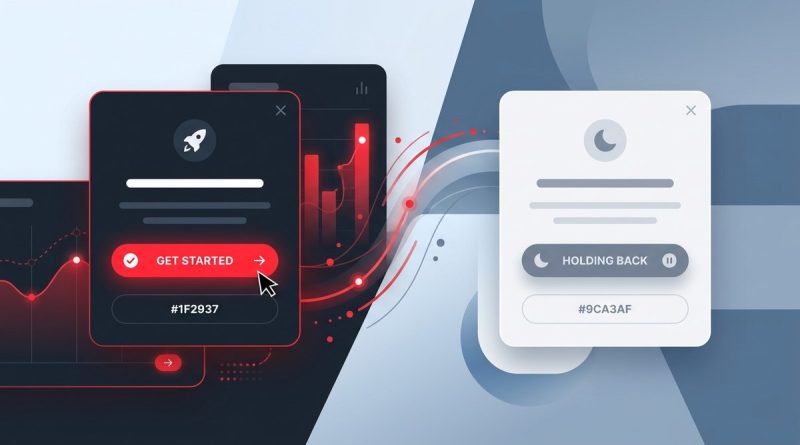
Why Your UI Needs a Dominant Red to Trigger Action (and When to Hold Back)
You open a website. You are looking for the checkout button. You spot it. It is red. You click it. That is not an accident.
Color is one of the most underrated tools in a designer’s toolkit. It sets the mood, builds hierarchy, and tells people where to look. When it comes to driving action, no color does it quite like red. It is bold. It is urgent. It is the visual equivalent of a hand going up in a crowded room.
But here is the catch. Use red too much, and you lose the effect. Use it too little, and nobody notices. This guide walks through the UI design principles for user attention that make red such a powerful tool, and, just as importantly, when you should hold back.
## Why Red Demands Attention
Human eyes are drawn to red before almost anything else. It is a survival instinct. Red signals fire, heat, and warning. In the digital world, that same biology translates into a powerful attention anchor. When you place a dominant red element on a screen, you are telling the user, “Look here, this matters.”
That is why red works so well for primary actions. It creates a visual anchor that pulls the eye away from less urgent elements. In a dashboard full of neutral grays, a single red button can communicate importance without a single word. This is one of the fundamental UI design principles for user attention: contrast that creates hierarchy.
But here is the catch. Red also signals danger, errors, and stopping. Use it too often and your interface starts to feel like an alarm system. The goal is not to paint everything red. The goal is to choose the moments that deserve a strong visual nudge.
—
## Why Red Demands Attention
Red is a high energy color. It grabs the eye before almost anything else on the screen. That is not an accident. Our brains are wired to notice red because it has historically signaled urgency, risk, and importance. In nature, red means stop, danger, or ripened fruit ready to eat. That biological wiring carries straight into digital interfaces.
When you use red as a dominant accent, you are borrowing that ancient alertness. It creates a sense of immediacy. That is why red buttons, badges, and error messages work so well. They pull the user’s focus toward a single point of conversion, whether that is a checkout button, a signup form, or a critical alert.
But here is the catch. Red is also a color of warning. If you apply it too broadly, your interface starts to feel aggressive. Users may feel constantly on edge. The trick is to use red with intention and restraint.
### Why Red Triggers Action
Red has a physiological effect. It raises the pulse, grabs the eye, and signals importance. That is why it works for CTAs like “Buy Now” or “Start Free Trial.” It creates a sense of urgency that nudges users to click.
Yet the same power that makes red effective also makes it dangerous. Overuse can create a hostile experience. Your users will feel like they are constantly being warned, and that tension can hurt trust.
The key is to reserve red for moments where action is the only goal. Think of it as the exclamation point in a sentence. Used sparingly, it adds energy and focus. Used too often, it turns everything into a shout.
—
**SEO Title:** Red in UI Design: Trigger Action Without Overdoing It
**Meta Description:** Learn how a dominant red can drive clicks and conversions in your UI, plus when to hold back. Practical UI design principles for user attention.
# Why Your UI Needs a Dominant Red to Trigger Action (and When to Hold Back)
Red is the loudest voice in your interface. It can stop a scroll, pull a click, and push a conversion over the line. But it can also push people away when it shows up too often or in the wrong place.
The best designers treat red like a spotlight, not a floodlight. They use it to say “this is where you act next,” and they trust it to carry real weight. When you understand how color directs attention, you can make interfaces that feel intuitive, confident, and human. That is what UI design principles for user attention are really about: guiding people without making them think.
This guide walks through why red earns a dominant role in your UI, how to use it with intention, and when holding back makes your product stronger.
## Why Red Demands Attention in Interface Design
Human eyes are wired to notice red. It signals urgency in nature, from ripe berries to warning signals, and that instinct carries over to screens. Red has the shortest wavelength in the visible spectrum that still reads clearly, which means it activates the eye faster than most colors.
In a UI, that means red jumps forward. It creates contrast against cool tones like blue and green, which is why it works so well for buttons, badges, and error messages. When you place a single red button on a calm interface, it becomes the visual anchor. People notice it before they read anything else.
That is not an accident. It is a deliberate use of visual hierarchy, one of the core UI design principles for user attention. By controlling where red appears, you control where users look first.
## The Psychology of Red in Digital Products
Red carries emotional weight. It can feel exciting, urgent, or even a little dangerous. That is why it works so well for actions you want people to take, like buying, signing up, or confirming a choice.
Think about how red is used in high stakes moments. A delete confirmation dialog uses red to say “this is permanent.” A sale badge uses red to say “this ends soon.” Both rely on the same psychology: red creates a sense of importance.
But that same power can work against you. Too much red raises anxiety. It makes people feel like they are constantly being warned or pushed. If every button on the page is red, then none of them feel special. The urgency cancels itself out.
That is why red works best when it is rare. When you save red for the primary action, it keeps its voice. When you use it everywhere, it becomes noise.
## Visual Hierarchy: Making the Primary Action Unmissable
Every screen should have a clear visual hierarchy. The user needs to know what matters most, what matters second, and what they can ignore. Red is one of the most direct ways to build that hierarchy.
Start with the primary action. If the goal of the page is to get someone to sign up, that button should be the most visually dominant element. A filled red button with white text is nearly impossible to miss. It draws the eye before secondary actions, like “learn more” or “log in,” which can be quieter and lower contrast.
This is where UI design principles for user attention come together. Hierarchy, contrast, and color psychology all point to the same move: make the most important action the most visually compelling one.
### Use Red to Signal Errors and Destructive Actions
Red also plays a critical role in feedback. Error messages, form validation, and destructive actions all benefit from a clear red cue. When someone deletes a file or submits an invalid form, they need immediate visual confirmation.
A red border around a form field tells the user “something needs attention here.” A red button on a destructive dialog says “this is the irreversible choice.” These signals work because they match the emotional weight of the action. The color and the consequence feel aligned.
This is a case where red is not just about conversion. It is about clarity and trust. Users need to know what will happen before they click, and red helps communicate that.
## When to Hold Back: The Case for Restraint
Red is powerful, but it is also exhausting when overused. Interfaces that rely heavily on red can feel aggressive or alarmist. If a user sees red everywhere, they may start to feel like they are constantly making mistakes or being warned.
Restraint is a design principle in itself. By limiting red to a few high impact moments, you give it meaning. The rare red element feels intentional. It carries more weight because it does not compete with ten other red elements.
Consider the difference between a page with one red button and a page with six. On the first page, the user knows exactly what to do. On the second, they are overwhelmed. The single red button wins every time.
### Red in the Right Context: Conversion vs. Caution
Context matters. Red can mean “click here” or it can mean “stop.” The same color that drives conversions on a checkout page might feel wrong on a medical form or a financial dashboard.
Think about the emotional state of the user. If someone is about to make a purchase, red creates urgency and excitement. If someone is filling out an insurance claim, red might create anxiety. Matching the color to the emotional context is part of thoughtful design.
This is where you have to make judgment calls. A dominant red might be perfect for a limited time offer, but too aggressive for a long form. Understanding the user’s mindset helps you decide when red helps and when it hurts.
## Accessibility: Red Needs to Work for Everyone
Red can be tricky for color blind users. Roughly one in twelve men and one in two hundred women experience some form of color vision deficiency. Red and green are the most common pairing that gets confused.
That does not mean you should avoid red. It means you should never rely on color alone to communicate meaning. If a red button is the only thing that signals a primary action, add a second cue. White text with strong contrast helps. Icons, underlines, and labels provide backup.
Always check your contrast ratios. Red on white can sometimes fail accessibility standards, especially for smaller text. A darker red, or a red with a deeper tone, often reads better. Tools like the Web Content Accessibility Guidelines (WCAG) help you test your choices.
## The Interaction Between Red and Brand Personality
Red does not exist in a vacuum. It interacts with your brand colors, your typography, and your overall tone. A playful brand might use a bright, energetic red. A luxury brand might prefer a deep, muted crimson. Both are red, but they feel completely different.
Before you commit to a dominant red, look at your existing palette. Does the red feel like it belongs? Does it support the emotional personality of your brand? If the red clashes with the rest of the interface, it will feel like a mistake, even when it is intentional.
This is where a design system helps. Define exactly when red should be used, what shade to use, and what it means. When red is part of a system, it feels deliberate. When it is random, it feels chaotic.
### Testing Red in Real User Flows
The only way to know if red works is to test it. Run A/B tests on button colors, but do not stop there. Watch session recordings to see where people hesitate or click away. Sometimes red performs well in the abstract but feels too aggressive in a real flow.
Pay attention to the entire journey. A red button on the homepage might get clicks, but if the next step is a red error message, the experience can feel jarring. Red should guide the user through the flow, not create a series of alarm bells.
Testing also helps you find the right shade. A bright red might work for one audience and feel cheap to another. A deeper red might feel more trustworthy but less urgent. The data will tell you what your users respond to.
## How to Implement a Dominant Red Without Overwhelming
Start small. Pick one primary action per page and make that the red element. Everything else stays in your brand palette. This gives you the benefit of red, the visual anchor and the urgency, without flooding the interface.
Use red for the moments that matter most. That might be a checkout button, a “sign up now” prompt, or a confirmation dialog. Reserve red for actions that directly contribute to the user’s goal or the business’s bottom line.
Then, balance the red with white space. A red button surrounded by calm, empty space feels more prominent than one buried in a dense layout. The contrast between the red and the space around it does the work for you.
### The Role of Secondary Colors
Red does not have to carry the entire interface. Secondary colors can handle less important actions. A secondary button might be outlined in gray or use your brand color instead. This creates a clear visual hierarchy without making everything red.
Think of it like a conversation. Red is the raised voice, the important line. The rest of the interface is the calm voice that gives context. When you save the raised voice for the key moment, it lands harder.
## Red in Action: Common Patterns That Work
Some patterns consistently work well. Ecommerce sites use red for “add to cart” or “buy now” buttons. SaaS products use red for “upgrade” or “start free trial” prompts. These are all moments where the user is taking a meaningful step.
Error states also benefit from red. A red banner that says “your card was declined” is clear and actionable. A red border around a form field tells the user exactly where to look. These patterns work because they match the emotional weight of the moment.
The key is consistency. If red means “primary action” on one page, it should mean the same thing on every page. If red means “error” somewhere else, that meaning should stay consistent too. Confusing those signals is one of the fastest ways to break trust.
## When Red Hurts Conversion
Sometimes red hurts. If your audience associates red with loss or danger, a red button might actually reduce clicks. This is common in financial or medical contexts, where red can feel like a warning.
Red can also hurt if it is too bright. Neon red on a white background can be painful to look at. It can cause eye strain, especially on large blocks of text. In those cases, a deeper red or a red that leans toward maroon might feel more comfortable.
Watch the data. If your red button underperforms, test a different shade or a different position. Sometimes the problem is not the color. It is the contrast, the size, or the copy. Treat red as one variable in a larger system.
## When Red Is Not the Answer
There are times when red is the wrong choice. If your brand is built around calm and trust, like a meditation app or a healthcare portal, a dominant red might feel out of place. That does not mean you can never use red. It just means you use it more sparingly.
Consider the user’s emotional state. If they are already anxious, like someone booking a medical appointment or filing their taxes, red might add unnecessary stress. In those cases, a calmer color might serve the same purpose without the emotional weight.
Red is a tool, not a rule. The best designers use it when it helps and put it away when it hurts. That is what restraint looks like in practice.
## Red and the Bigger Picture of UI Design Principles
Understanding red is just one piece of the puzzle. The broader goal is to create interfaces that feel clear, intuitive, and respectful of the user’s attention. Red is one of the most effective tools for that, but it is not the only one.
UI design principles for user attention are about making the important things obvious. Whether that means using red, white space, typography, or motion, the goal is always the same: reduce friction and guide the user. Red just happens to be one of the most direct ways to do that.
When you combine a dominant red with a clean layout, a clear hierarchy, and a consistent design system, you create something powerful. You create an interface that feels confident. It knows what it wants the user to do, and it makes that step easy to see.
## The Balance Between Urgency and Trust
Red creates urgency, but trust keeps people coming back. The best designs balance the two. Red handles the urgent moments, while the rest of the interface stays calm and trustworthy.
That balance is what separates a great interface from a pushy one. Users want to feel guided, not pressured. A well placed red element feels helpful. A screen full of red feels like a used car lot.
When you respect the power of red, your users feel it. They move through the interface with confidence because they always know where to act next. That clarity builds trust, and trust builds conversion.
## Final Thoughts on Using Red With Intention
A dominant red can transform your interface. It can make the primary action unmissable, guide users through complex flows, and create a sense of urgency that drives results. But it only works when you use it with intention.
Hold back. Save red for the moments that matter. Build a system where red means something, and then protect that meaning. When you do, red becomes one of the most reliable tools in your design toolkit.
The best interfaces are not the ones with the most color. They are the ones where color does the work. Red, used well, points people exactly where they need to go. That is the goal of every design decision you make, and it is exactly what strong UI design principles for user attention are built to support.
## Final Thoughts on Using Red with Intention
Red is not a shortcut. It is a tool. It works when you use it sparingly, deliberately, and with a clear purpose. The interfaces that get red right are the ones where the red element feels obvious. The user does not have to think about why it is there. They just know.
Start by identifying the one action you want people to take on each screen. Make that action red. Then step back and ask yourself if anything else is competing for that same visual weight. If it is, pull back. Give the red room to breathe.
And when you feel tempted to use red everywhere, remember the spotlight. A spotlight is only dramatic when the stage is dark. Red works the same way. It is the loudest voice in the room, but only when it is the only one raised.
### The Lasting Lesson About Red in UI
Red is not just a color. It is a tool for directing attention, building hierarchy, and communicating emotion. When you use it with intention, it can transform an interface from forgettable to focused. When you overuse it, you lose the very urgency you were trying to create.
The best interfaces feel calm on the surface, even when they are driving action. They use color to guide, not to shout. A dominant red, used sparingly and consistently, can do exactly that.
So the next time you reach for red, ask yourself: what is this color telling the user? If the answer is “this is the next step,” you have made the right call. If the answer is unclear, it might be time to pull back. Red earns its place in your UI by being rare, intentional, and honest about what it means.
# Conclusion
Red is one of the most powerful tools in a designer’s kit. It grabs attention, signals action, and adds emotional weight to the moments that matter most. When you use it with intention, it becomes the anchor of your visual hierarchy and a clear signal for where to click next.
But power requires restraint. The best interfaces use red sparingly, saving it for the moments that truly count. They pair it with strong contrast, accessible design, and a consistent system. They understand that the goal is not to make everything red, but to make the right thing red.
When you master that balance, you create interfaces that feel clear, confident, and human. You guide people toward action without shouting at them. And that is the real goal of UI design principles for user attention: helping people move through your product with ease, clarity, and a little bit of delight.
Now is the time to audit your own interface. Find the primary action on each page. Ask yourself if it is earning the attention it deserves. If the answer is no, a single, well placed red element might be exactly what you need.
## Frequently Asked Questions
### Why is red considered the most effective color for primary actions in UI?
Red has a shorter wavelength in the visible spectrum that reads clearly, so it activates the eye faster than most colors. It also carries psychological weight for urgency and importance, which makes it ideal for guiding attention to a primary action.
### Does red always increase conversions?
Not always. Red drives conversions when it is used sparingly and with intention. If it appears too often, it loses its impact and can feel aggressive. Testing different shades and placements helps you find what works for your audience.
### Can I use red if my brand does not include it?
Yes. Many brands use a single accent color that sits outside their main palette. As long as the red feels intentional and matches the emotional tone of the brand, it can work. Just make sure it is consistent across the interface.
### What is the best way to test a red button?
A/B testing is a good start. Create two versions of the same page, one with a red primary button and one with a different color. Measure click through rate and conversion. Also watch session recordings to see if users hesitate or get confused. The data will tell you more than any opinion.
### Can I use red if my brand does not include it?
Yes, but be careful. If red is not in your brand palette, it will stand out even more. That can be a good thing if you want the action to feel special. It can also feel out of place if the red clashes with your overall aesthetic. Consider using a deep, muted tone that complements your existing colors instead of fighting them.
### How much red is too much?
A good rule of thumb is one dominant red element per screen. That might be a primary button, a notification badge, or an error message. If you find yourself using red for multiple actions on the same page, step back and ask which one matters most. The rest can stay quiet.
### What if red does not fit my brand?
You do not have to abandon your brand to use red. Many brands use red sparingly as an accent color. A red button with your brand color elsewhere can still feel cohesive. The goal is not to make everything red, just to use red where it matters most.
## Putting It All Together: A Practical Checklist
Before you ship a red element, run through a quick mental checklist. Does the red support the primary action on the page? Is it the only red element in the immediate area? Does it match the emotional tone of the moment?
Check the contrast. Can all users read the text on the button or the error message? Are you using any other cues besides color, like icons or underlines? If the red disappeared, would the interface still make sense?
Then ask yourself if the red feels intentional. Does it align with the brand? Is it consistent across the product? If you can answer yes, you are using red with purpose.
## Red as a Strategic Tool, Not a Habit
Red is one of the most powerful colors in a designer’s palette, but it only works when it is used deliberately. It can anchor the eye, drive conversions, and communicate urgency. It can also overwhelm, confuse, and create anxiety when overused.
The best interfaces use red sparingly. They save it for the moments that matter most, the primary action, the critical warning, the can’t miss button. By treating red like a spotlight, you give it meaning. And when red has meaning, users trust it.
The next time you look at your interface, ask yourself: what is the one thing I want people to do? Then ask if red is pointing at that thing. If the answer is yes, you are on the right track. If the red is scattered across the page, pull it back. Give it a single, confident voice.
That is what makes red such a powerful tool. It is not about using a loud color. It is about knowing exactly when to speak up, and when to let the rest of the interface breathe. When you master that balance, your UI will feel more intuitive, more trustworthy, and far more effective.
## Final Thoughts on Using Red with Intention
Red is not just another color in your palette. It is a tool for directing attention, building hierarchy, and driving action. When you use it with intention, it becomes one of the most powerful UI design principles for user attention you have at your disposal.
The best red is a confident red. It knows when to speak and when to stay quiet. By giving red a defined role, you create interfaces that feel alive, clear, and easy to navigate. And when you do hold back, the moments you choose to use red become that much more powerful.
—
**Keywords:** UI design principles for user attention, visual hierarchy, red button conversion, color psychology in UI, accessible color contrast
## Frequently Asked Questions
### Why is red so effective for CTAs and primary actions?
Red has high contrast against most UI palettes, especially cool tones like blue and green. It activates the eye faster and creates a strong visual anchor. When used sparingly, it makes the primary action unmissable.
### When should I avoid using red in my interface?
Avoid red when the user is already anxious, like during long forms or sensitive data entry. Also avoid red for every action. If everything is red, nothing stands out. Save red for the most important moments.
### Can I use red if my brand is not red?
Yes. Many brands use an accent red for primary actions even when their main palette is blue, green, or gray. The key is consistency. If red means “primary action,” it should always mean that.
### How do I make red accessible for color blind users?
Never rely on color alone. Pair red with icons, text, or underlines. Make sure the red you choose has enough contrast against the background. Test your design with a color blind simulator to catch issues.
### What is the best way to test red in my interface?
Run A/B tests with different shades and placements. Watch session recordings to see how users interact with red elements. Pay attention to click through rates and conversion metrics, but also watch for hesitation or misclicks. Red should feel intuitive, not aggressive.
### Can red work for calm, low pressure products?
Yes, but you need the right shade. A muted or deep red feels more sophisticated and less urgent than a bright red. It can still anchor attention without raising anxiety. The key is matching the red to the emotional tone of the brand.
## The Takeaway: Red Is a Tool, Not a Theme
Red works best when it is used with intention. It is the exclamation point in your interface, not the sentence. When you save red for the moments that matter most, it keeps its power and your users always know where to look.
Start by identifying the one action you want people to take on each screen. Make that action red. Then step back and let everything else breathe. The red will carry the weight.
And when you are tempted to add more red, ask yourself why. Is it adding clarity, or is it adding noise? The strongest interfaces are the ones where every color choice has a reason. Red earns its place when it points the way forward, without shouting over everything else.
When you apply these UI design principles for user attention, red becomes more than a color. It becomes a tool for guiding decisions, building trust, and creating interfaces that feel clear. That is what great design does: it makes the right action feel obvious. And a well placed red, used with intention, does exactly that.Red is the loudest voice in your interface. It can stop a scroll, pull a click, and push a conversion over the line. But it can also push people away when it shows up too often or in the wrong place.
The best designers treat red like a spotlight, not a floodlight. They use it to say “this is where you act next,” and they trust it to carry real weight. When you understand how color directs attention, you can make interfaces that feel intuitive, confident, and human. That is what UI design principles for user attention are really about: guiding people without making them think.
This guide walks through why red earns a dominant role in your UI, how to use it with intention, and when holding back makes your product stronger.
## Why Red Demands Attention in Interface Design
Human eyes are wired to notice red. It signals urgency in nature, from ripe berries to warning signals, and that instinct carries over to screens. Red has a longer wavelength than most colors, which means it activates the eye faster than cooler tones.
In a UI, that means red jumps forward. It creates contrast against cool tones like blue and green, which is why it works so well for buttons, badges, and error messages. When you place a single red button on a calm interface, it becomes the visual anchor. People notice it before they read anything else.
That is not an accident. It is a deliberate use of visual hierarchy, one of the core UI design principles for user attention. By controlling where red appears, you control where users look first.
## The Psychology of Red in Digital Products
Red carries emotional weight. It can feel exciting, urgent, or even a little dangerous. That is why it works so well for actions you want people to take, like buying, signing up, or confirming a choice.
Think about how red is used in high stakes moments. A delete confirmation dialog uses red to say “this is permanent.” A sale badge uses red to say “this ends soon.” Both rely on the same psychology: red creates a sense of importance.
But that same power can work against you. Too much red raises anxiety. It makes people feel like they are constantly being warned or pushed. If every button on the page is red, then none of them feel special. The urgency cancels itself out.
That is why red works best when it is rare. When you save red for the primary action, it keeps its voice. When you use it everywhere, it becomes noise.
## Visual Hierarchy: Making the Primary Action Unmissable
Every screen should have a clear visual hierarchy. The user needs to know what matters most, what matters second, and what they can ignore. Red is one of the most direct ways to build that hierarchy.
Start with the primary action. If the goal of the page is to get someone to sign up, that button should be the most visually dominant element. A filled red button with white text is nearly impossible to miss. It draws the eye before secondary actions, like “learn more” or “log in,” which can be quieter and lower contrast.
This is where UI design principles for user attention come together. Hierarchy, contrast, and color psychology all point to the same move: make the most important action the most visually compelling one.
### Use Red to Signal Errors and Destructive Actions
Red also plays a critical role in feedback. Error messages, form validation, and destructive actions all benefit from a clear red cue. When someone deletes a file or submits an invalid form, they need immediate visual confirmation.
A red border around a form field tells the user “something needs attention here.” A red button on a destructive dialog says “this is the irreversible choice.” These signals work because they match the emotional weight of the action. The color and the consequence feel aligned.
This is a case where red is not just about conversion. It is about clarity and trust. Users need to know what will happen before they click, and red helps communicate that.
## Red in Action: Common Patterns That Work
Some patterns consistently work well. Ecommerce sites use red for “add to cart” or “buy now” buttons. SaaS products use red for “upgrade” or “start free trial” prompts. These are all moments where the user is taking a meaningful step.
Error states also benefit from red. A red banner that says “your card was declined” is clear and actionable. A red border around a form field tells the user exactly where to look. These patterns work because they match the emotional weight of the moment.
The key is consistency. If red means “primary action” on one page, it should mean the same thing on every page. If red means “error” somewhere else, the two meanings should never collide. A red button that says “confirm delete” and a red button that says “buy now” feel different because of the words, but the color is still doing the same thing: saying “important.” That is why context matters so much.
## Red in Action: Common Patterns That Work
Some patterns consistently perform well. Ecommerce sites use red for “add to cart” or “buy now.” SaaS products use red for “upgrade” or “start free trial.” These are moments where the user is making a meaningful commitment, and red carries that weight.
Error states also benefit from red. A red banner that says “your card was declined” is clear and actionable. A red border around a form field tells the user exactly where to look. These patterns work because they match the emotional weight of the moment.
The key is consistency. If red means “primary action” on one page, it should mean the same thing on every page. If red means “error” somewhere else, it should always mean that. When red is consistent, users learn to read it quickly. When it is random, they have to stop and think, which is the opposite of good UX.
## The Role of Color Theory in UI Design
Red does not exist in a vacuum. It sits next to other colors, and those interactions change how it feels. Understanding basic color theory helps you choose the right red for your interface.
Complementary colors sit opposite each other on the color wheel. Red and green are complements, which is why red pops so much against green. But in a UI, that pairing can feel jarring. A red button on a green background is high contrast but often feels harsh. Instead, many designers pair red with neutral tones like white, gray, or black. This lets the red carry the energy without creating visual chaos.
Analogous colors, like red and orange, can create a warm, energetic feel. But they can also blend together if the values are too similar. If you want red to stand out, pair it with cooler tones like blue or green. The contrast makes the red feel sharper and more deliberate.
### The Role of White Space
White space is the quiet that makes red loud. A red button surrounded by empty space feels important. It has room to breathe, so the eye lands on it naturally. When a page is crowded, red gets lost in the noise.
Use generous padding around your primary red elements. Give the button room to exist on its own. That space does not weaken the red, it amplifies it. The contrast between the empty space and the bold color creates the attention you want.
## Red and Conversion Rates: What the Data Shows
Designers have been testing button colors for years. While the results vary by audience, red consistently performs well for primary actions. It creates a sense of urgency that lighter colors cannot match.
But the color alone is not the whole story. A red button with weak copy will not outperform a blue button with strong copy. The button text, the placement, and the surrounding context all matter. Red is a tool that amplifies a message, not a replacement for one.
If you are trying to improve conversion rates, start with the action itself. Make the copy specific and the layout clear. Then let red do its job of drawing the eye. The best results come from combining a strong offer with a visually dominant button.
## The Danger of Red Fatigue in UX
Red fatigue happens when users see so much red that they stop responding to it. This is a real risk in products that rely heavily on alerts, badges, and notifications. If every message is red, then nothing stands out.
Think about the last time you opened an app with fifty red notification badges. Did you feel motivated to act, or did you feel overwhelmed? Most people feel the latter. Red works best when it is rare.
This is why design systems often restrict red to specific moments. It is the color of the primary action, the destructive action, or the urgent alert. It is not the color for neutral information or secondary navigation. When red is rare, it stays meaningful.
## The Future of Red in Interface Design
Design trends shift, but the core principle stays the same: color is a tool for directing attention. Red will always have a place in interfaces because it is one of the most effective attention grabbers we have.
The brands that use red best will be the ones that understand its weight. They will use it to guide users, signal importance, and create emotional moments. They will also know when to pull back, letting the absence of red make the presence more powerful.
As interfaces become more personalized, red might look different for different users. What feels urgent to one person might feel aggressive to another. The best designs will adapt, using red where it helps and stepping back where it hurts.
## Red as a Tool, Not a Crutch
A dominant red can transform a user interface. It creates focus, drives action, and gives users a clear sense of what matters. But it only works when it is used with intention.
The best interfaces use red sparingly and strategically. They reserve it for the moments that matter, then let everything else fade into the background. When red is rare, it is powerful. When it is everywhere, it becomes just another color.
As you design your next interface, ask yourself: what is the one thing you want the user to do? Make that the red moment. Give it the contrast, the spacing, and the context it needs to feel important. Then step back and let the red do its job.
## Bringing It All Together
Red is not just a color. It is a tool for directing attention, building hierarchy, and guiding action. When you use it with intention, it becomes one of the most powerful elements in your design system.
The key is balance. Use red to highlight the moments that matter, but let the rest of the interface breathe. Respect the emotional weight of the color and the context of your users. When you do, red stops feeling aggressive and starts feeling essential.
So go ahead and give red the spotlight. Just make sure it is the only one on the stage. That is how you turn attention into action.
### Related posts
### What is the Best Free Email Client? Top Picks for 2025
Discover the best free email client for your needs. Compare top options, features, and security in this comprehensive guide.
### How to Create a Free Website: 7 Easy Steps
Discover how to create a free website in 7 easy steps. Learn about website builders, design tips, and how to go live without spending a dime.
### The 7 Best Free Email Clients for Desktop in 2025
Discover the 7 best free email clients for desktop in 2025. Compare features, security, and usability to find the perfect fit for your workflow.
### How to Get a Free Business Email in 2025: Complete Guide
Learn how to get a free business email address in 2025. This guide covers setup, benefits, and best practices for using a custom domain for your business email.
### How to Create an Email Template in Outlook: A Step-by-Step Guide
Learn how to create an email template in Outlook to save time, reduce repetitive typing, and keep your messages consistent. This guide covers both classic Outlook and Outlook on the web.
### How to Block Someone on Outlook: Step-by-Step
Learn how to block unwanted emails in Outlook with this comprehensive guide. Covers both webmail and desktop client, plus tips for managing your blocked senders list.
### How to Recall an Email in Outlook: A Step-by-Step Guide
Learn how to recall an email in Outlook with this step-by-step guide. Discover the requirements, limitations, and alternatives to recalling email.
### How to create a Microsoft Outlook email?
A step-by-step guide to creating a Microsoft Outlook email account, with tips for choosing an address, securing your account, and getting started.
### How to create a new email address for a professional brand
Learn how to create a professional email address that builds trust and strengthens your brand. This guide covers choosing the right provider, setting up your inbox, and avoiding common mistakes.
### How to create a new email address for free
Learn how to create a new email address for free with this step-by-step guide. Explore top providers, setup steps, and tips for managing multiple accounts securely.
### How to add another email to Outlook
Learn how to add another email account to Outlook with this step-by-step guide. Perfect for managing multiple inboxes in one place.
### How to add a bcc email
Learn how to use BCC effectively in your emails. This guide explains what BCC means, when to use it, and best practices for keeping your recipients private.
### How to create a new Gmail account without a phone number
Create a Gmail account without providing your phone number. This guide covers the steps, workarounds, and important privacy considerations.
### How to write a professional email in 5 steps
Learn how to write a professional email with these 5 steps. Covers subject lines, tone, and common mistakes to avoid in workplace communication.
### How to change your email on Facebook and keep your account safe
A practical guide to updating your Facebook email while keeping your account secure.
### How to make an email signature in Outlook
Step-by-step guide to creating a professional email signature in Outlook, from opening the settings to formatting your signature. Includes tips for using the “New Outlook” and managing multiple signatures.
### How to write a professional email: 6 core steps
Learn how to write professional emails that get results. This guide covers structure, tone, and practical tips to improve your email communication.
### How to send a mass email without spam
Learn how to send mass emails without getting flagged as spam. This guide covers authentication, list quality, and practical tips.
### How to use email marketing to grow your business
Email marketing remains one of the highest ROI channels for small business. This guide covers list building, campaign types, and measuring results.
### How to write a follow up email after no response
Learn how to write a polite and effective follow up email after no response. This guide covers subject lines, timing, tone, and templates you can use right away.