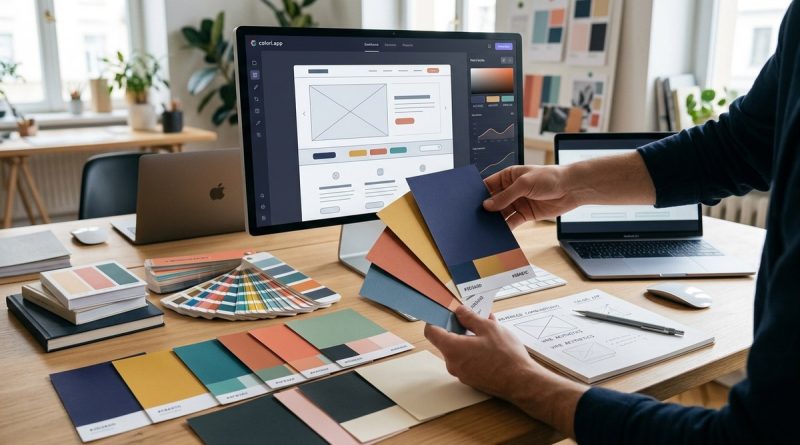
Exploring Advanced Color Combinations to Elevate Your Web Design Aesthetics
Web design is more than just layout and typography. Color choices shape user experience, influence perceptions, and reinforce branding. Moving beyond basic palettes to advanced color combinations allows designers to craft websites that are both eye-catching and memorable. In 2026, leveraging sophisticated color pairings is essential for creating digital experiences that stand out and resonate deeply with audiences.
Mastering advanced color combinations involves understanding color harmony, contrast, and psychology. Applying these principles thoughtfully enables web designers to craft visually compelling sites that boost engagement and reinforce brand identity in 2026.
The Power of Advanced Color Pairing in Web Design
While basic color schemes can suffice for simple projects, sophisticated combinations unlock new levels of visual interest. Advanced color pairings give your website depth, mood, and personality. They can guide user attention, improve readability, and evoke emotional responses. As web users become more visually sophisticated, blending nuanced color schemes becomes a key skill for designers aiming to create impactful digital experiences.
Understanding the Foundations of Color Harmony
Color harmony is the secret behind visually pleasing palettes. When colors are combined with purpose, they create a sense of balance and flow. Some fundamental principles include:
- Complementary colors: Opposite on the color wheel, offering high contrast and vibrancy.
- Analogous colors: Adjacent hues that provide harmony and calmness.
- Triadic schemes: Three evenly spaced colors creating vibrant but balanced palettes.
- Tetradic combinations: Four colors forming a rectangle on the wheel, offering rich possibilities.
- Monochromatic schemes: Variations of a single hue, adding depth through shades and tints.
By mastering these, you can craft palettes that emphasize your site’s message and aesthetic goals.
Practical Steps to Develop Advanced Color Combinations
- Start with a base color: Choose a primary hue aligned with your brand or content theme.
- Identify supporting colors: Use color harmony rules to pick complementary or analogous hues.
- Apply contrast carefully: Ensure text, buttons, and important elements stand out without overwhelming.
- Incorporate neutral tones: Grays, whites, and blacks balance vibrant colors and improve readability.
- Test for accessibility: Use contrast checkers to guarantee your palette is inclusive.
Following this process helps ensure your color choices are intentional and effective across devices and audiences.
Techniques for Creating Dynamic Color Schemes
| Technique | Description | Common Mistakes |
|---|---|---|
| Using color quadrants | Dividing your palette into four harmonized colors | Overloading with too many competing hues |
| Applying color gradients | Blending shades smoothly to add depth and dimension | Using gradients that clash or are too busy |
| Implementing color overlays | Layering semi-transparent colors for mood and emphasis | Overuse leading to visual clutter |
| Contrasting text and backgrounds | Ensuring high contrast for readability | Ignoring contrast ratios, causing accessibility issues |
| Harmonizing accent colors | Using bright colors sparingly to highlight key elements | Overusing bright hues, overwhelming the design |
Expert Tip
“A well-balanced color palette doesn’t just look good. It influences user behavior. Use contrast and harmony to guide your visitors naturally through your site.” — https://colori.app/using-color-psychology-to-elevate-user-experience/
Common Pitfalls in Advanced Color Combinations
Despite the power of advanced schemes, many designers fall into familiar traps:
| Mistake | Impact |
|---|---|
| Overcomplicating palettes | Creates visual chaos and confuses users |
| Ignoring accessibility standards | Excludes users with visual impairments |
| Relying solely on trendy colors | Results in dated designs quickly |
| Neglecting cultural color meanings | Offends or confuses international audiences |
Avoid these mistakes by planning your palette carefully and testing across multiple contexts.
Tools and Resources to Perfect Your Color Pairings
- Color palette generators like Coolors help brainstorm harmonious schemes.
- Contrast checkers such as WebAIM ensure accessibility.
- Design systems like Figma enable experimenting with advanced color combinations in real time.
- Blogs and courses on color theory provide ongoing education, like Mastering Color Harmony.
Utilizing these tools can streamline your workflow and improve your color mastery.
Applying Advanced Color Combinations to Real Projects
- Identify your brand personality: Colors evoke emotions. Use warm hues for friendliness or cool tones for professionalism.
- Create mood boards: Gather color inspirations aligned with your message.
- Test for user engagement: Use A/B testing with different schemes to see what resonates.
- Refine and iterate: Adjust your palette based on feedback and analytics.
- Document your palette: Maintain consistency across pages and components for a unified look.
This iterative process results in a cohesive, visually compelling website that feels natural and engaging.
Elevate Your Web Design with Inspired Color Pairings
In 2026, the most memorable websites feature thoughtful, advanced color combinations. They communicate brand personality, improve usability, and foster emotional connections. By understanding color harmony, practicing strategic pairing, and utilizing modern tools, you can craft sites that captivate visitors and stand out in the crowded digital space.
Bring Your Web Design to Life with Color
Using advanced color combinations is a powerful way to elevate your website’s aesthetics. Remember, the key is balance. Experiment with harmony, contrast, and psychology to find palettes that reflect your brand and delight your visitors. Over time, refining your skills will allow you to create digital experiences that are not just beautiful but also highly effective. Get started today, and watch your designs transform into visual stories that resonate.